14 Lightroom presets made for life by the water.
Welcome to Oceania… a collection of editing recipes developed through years of photographing the ever-changing conditions of the ocean.
From rich turquoise and crystalline aquamarine to silver reflections, tropical warmth, peachy first light and nostalgic beach tones, each preset was created around a light condition or editing problem I've encountered behind the camera.
Use these presets for photos taken beneath the surface, in the waves, seascapes and water details, or for those sun-drenched moments spent beside the sea.
From subtle to totally transformative, I developed this collection to give you a starting point that’s help you push your photos beyond the limits of what your RAW first presents… then make the photograph yours.
WHAT'S INCLUDED
14 Oceania Lightroom presets: a mix of ocean colour, underwater, coastal light and beach lifestyle edits; from Aquamarine, Rich Turquoise and Liquid Silver to Peachy Dawn, Cosmic Under Water and Vintage Beach Glow. These are the very recipes I’ve used for some of my most well-known photographic art.
The Oceania Field Guide: a visual guide to all 14 presets, including what each was developed for, the look it creates, the conditions I reach for it in and my own tips for getting the best from your edit.
Made for life by the water: best suited to ocean photography, underwater photography, surf, seascapes, water details and beach lifestyle imagery.
Fully adjustable: every photograph starts somewhere different. Adjust exposure, white balance, preset intensity, colour and local edits to make each recipe your own.
Lightroom compatible: compatible with Adobe Lightroom for desktop and mobile.
Digital download
You'll receive a ZIP file after purchase. Simply download and double click the .zip file to expand, then import to Lightroom Classic.
These are my starting points, the photograph is still yours.
*Digital product. By purchasing, you agree to the Digital Product Terms, including the licence and refund policy.
14 Lightroom presets made for life by the water.
Welcome to Oceania… a collection of editing recipes developed through years of photographing the ever-changing conditions of the ocean.
From rich turquoise and crystalline aquamarine to silver reflections, tropical warmth, peachy first light and nostalgic beach tones, each preset was created around a light condition or editing problem I've encountered behind the camera.
Use these presets for photos taken beneath the surface, in the waves, seascapes and water details, or for those sun-drenched moments spent beside the sea.
From subtle to totally transformative, I developed this collection to give you a starting point that’s help you push your photos beyond the limits of what your RAW first presents… then make the photograph yours.
WHAT'S INCLUDED
14 Oceania Lightroom presets: a mix of ocean colour, underwater, coastal light and beach lifestyle edits; from Aquamarine, Rich Turquoise and Liquid Silver to Peachy Dawn, Cosmic Under Water and Vintage Beach Glow. These are the very recipes I’ve used for some of my most well-known photographic art.
The Oceania Field Guide: a visual guide to all 14 presets, including what each was developed for, the look it creates, the conditions I reach for it in and my own tips for getting the best from your edit.
Made for life by the water: best suited to ocean photography, underwater photography, surf, seascapes, water details and beach lifestyle imagery.
Fully adjustable: every photograph starts somewhere different. Adjust exposure, white balance, preset intensity, colour and local edits to make each recipe your own.
Lightroom compatible: compatible with Adobe Lightroom for desktop and mobile.
Digital download
You'll receive a ZIP file after purchase. Simply download and double click the .zip file to expand, then import to Lightroom Classic.
These are my starting points, the photograph is still yours.
*Digital product. By purchasing, you agree to the Digital Product Terms, including the licence and refund policy.

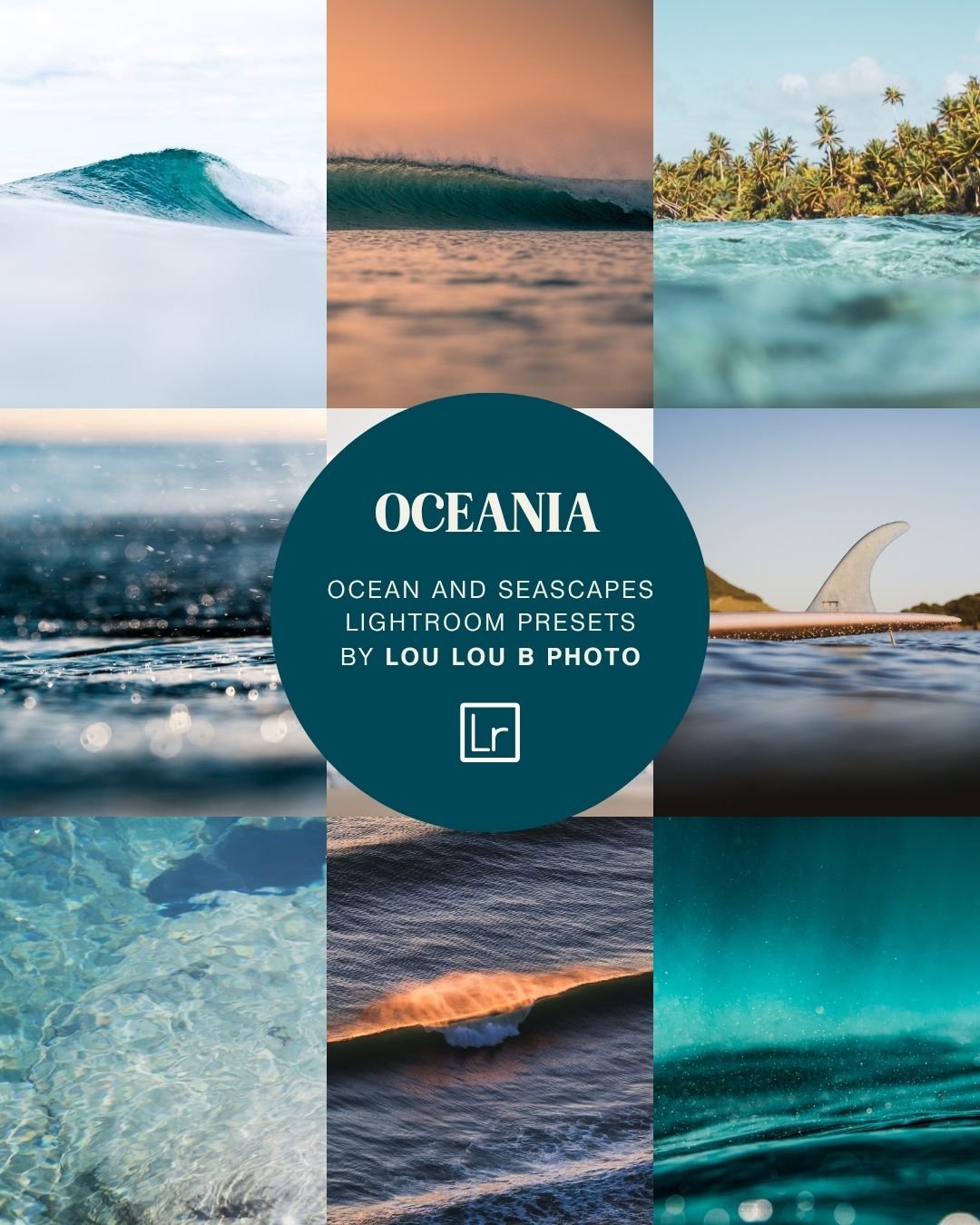 Image 1 of 16
 Image 2 of 16
 Image 3 of 16
 Image 4 of 16
 Image 5 of 16
 Image 6 of 16
 Image 7 of 16
 Image 8 of 16
 Image 9 of 16
 Image 10 of 16
 Image 11 of 16
 Image 12 of 16
 Image 13 of 16
 Image 14 of 16
 Image 15 of 16
 Image 16 of 16